
Activity
All You Need to Know about Activity Reports
Use Activity reports to identify expired cards and review user-initiated transactions with clear visibility into customer details, payment methods, and processing status.
Overview
The Activity Reports page helps you monitor operational activity through Expired Cards and User Reports. These reports make it easy to proactively manage expired payment methods and review transactions initiated by system users across different sources and tenders. Use this information to maintain payment continuity, support customer outreach, and audit user activity.
Expired Cards
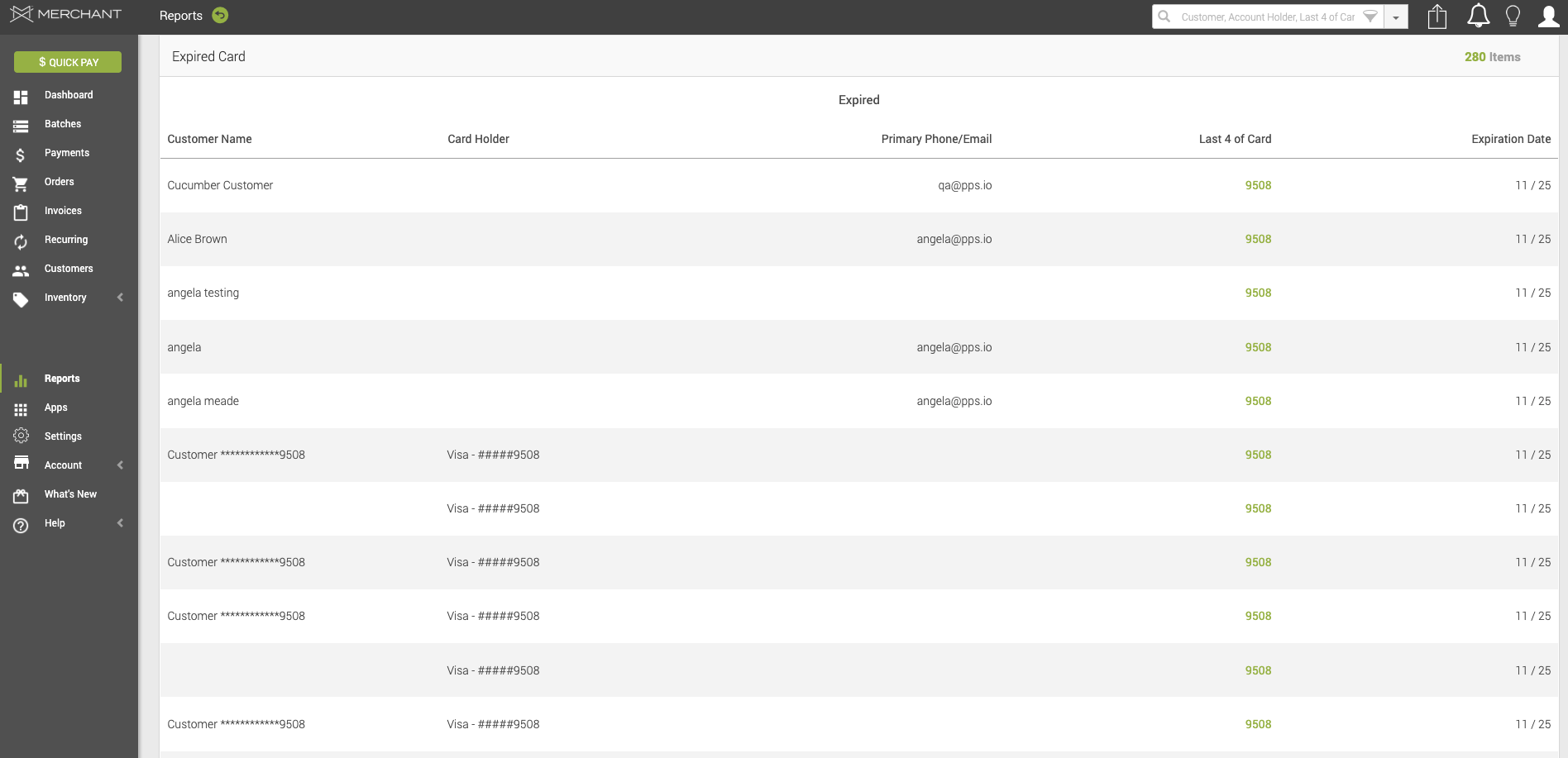
In your Expired Cards report, you will find a table with the following information:
- Customer Name – The name of the customer associated with the expired card.
- Card Holder – The name of the cardholder as it appears on the card.
- Primary Phone/Email – The primary contact phone number or email address associated with the customer.
- Last 4 of Card – The last four digits of the expired card number.
- Expiration Date – The expiration month and year of the card.
User Report
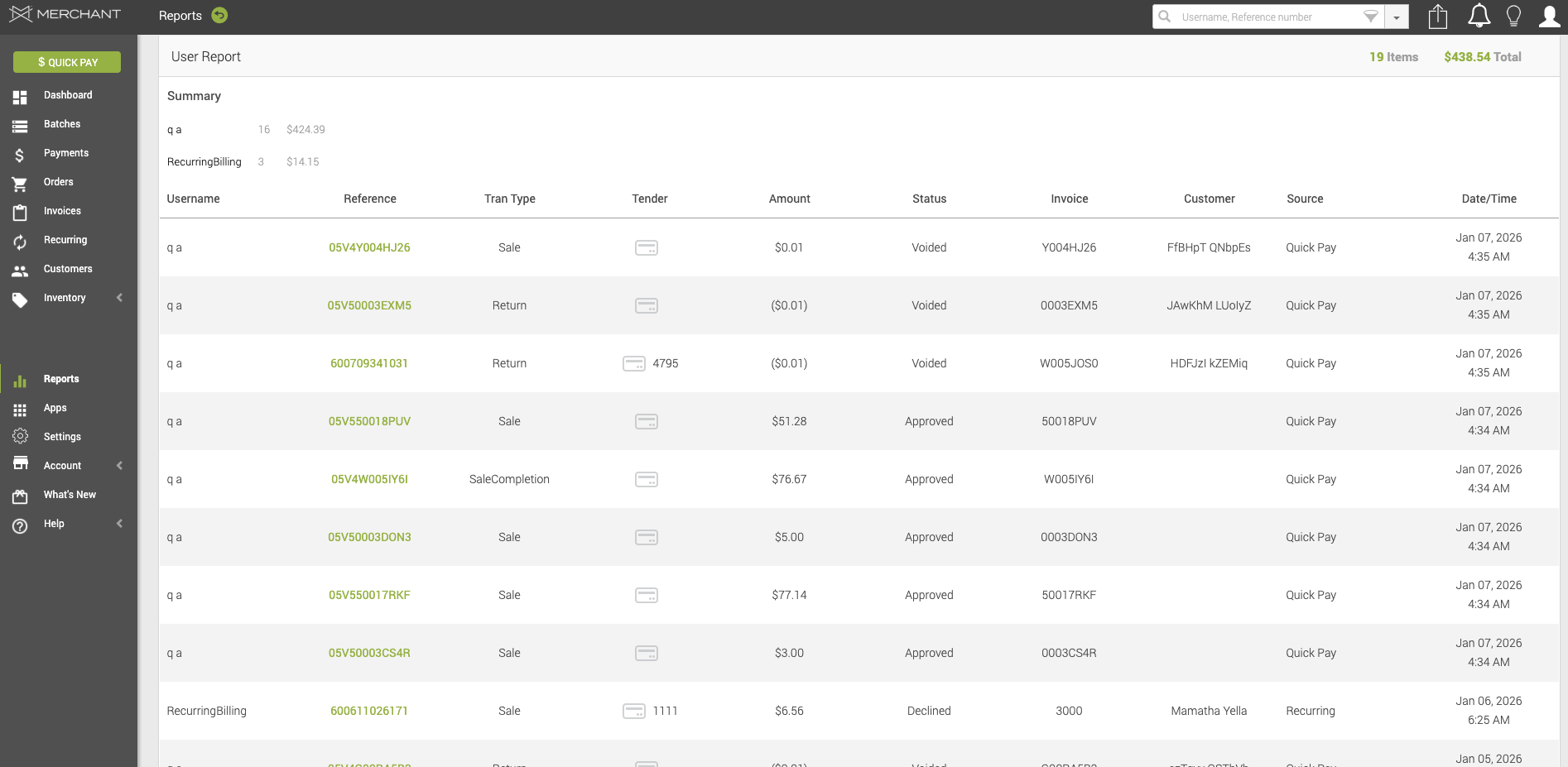
In your User Report table, you will find a table with the following information:
- Username – The username of the system user who processed or initiated the transaction.
- Reference – The internal reference or identifier associated with the transaction.
- Transaction Type – The type of transaction performed (for example, Sale or Return).
- Tender – The payment method used for the transaction (for example, card, ACH, or cash).
- Amount – The monetary amount of the transaction.
- Status – The current status of the transaction (for example, approved, declined, or voided).
- Invoice – The invoice number associated with the transaction.
- Customer – The customer associated with the transaction.
- Source – The source from which the transaction was initiated (for example, Recurring, _Quick Pqy).
- Date/Time – The date and time when the transaction was processed.
Updated 20 days ago