
Applications / API
Securely Managing Your API Credentials
Use this page to create, delete and manage the API credentials you have for your applications.
Overview
Managing API credentials securely is essential for integrating your applications with MX™ Merchant. This page guides you through how to view, create, and delete API keys, as well as understand the details shown for each credential. By the end, you'll know how to safely handle your Consumer Key and Secret and maintain your application's access.
Prerequisites
- You must have the Developer app from the App Store activated.
- You must have an Admin, Sub-Admin or Supervisor role.
Applications & API Credentials
What You'll See
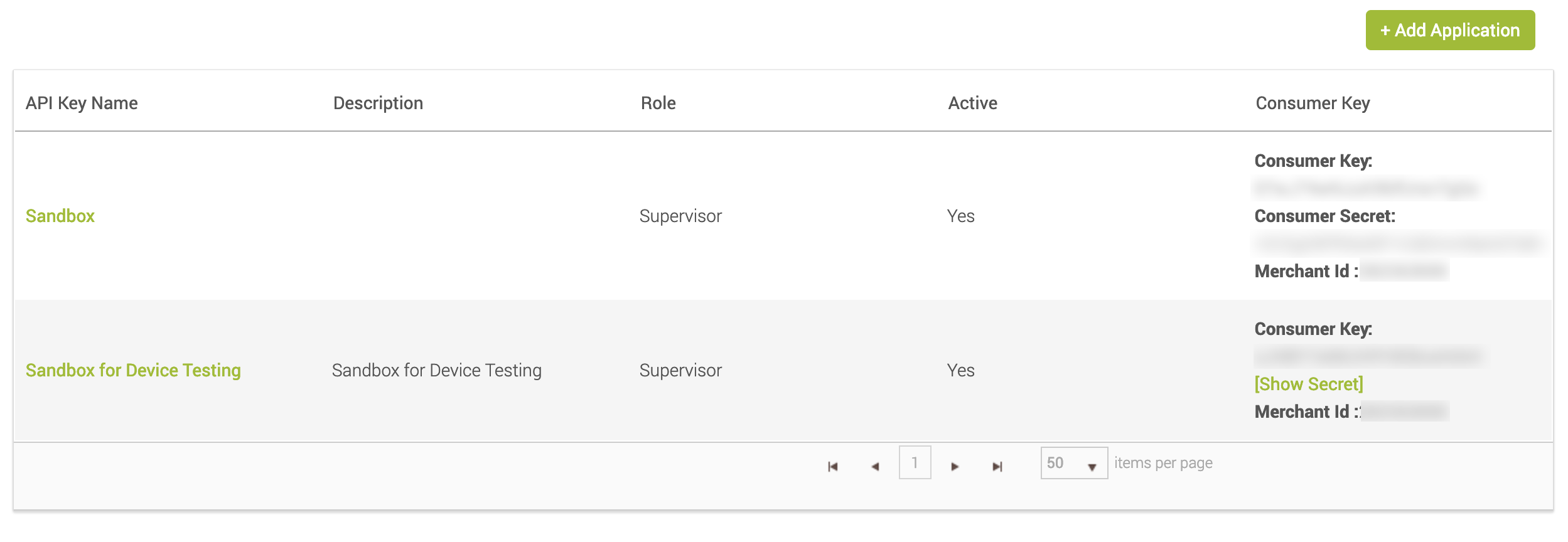
Upon clicking Applications / API in the Settings page, you'll see a table where each row displays the following information:
- API Key Name – The name assigned to your application
- Description – A summary of the application’s purpose
- Role – Mirrors the role of the user who created the credential
- Active – Indicates whether the key is currently active
- Consumer Key – Displays the application-specific key
- Show Secret – Reveals the Consumer Secret when clicked
- Merchant ID – Identifies your merchant account in API integrations
Note:
The Consumer Key and Consumer Secret must be treated as privileged information, for security purposes. Do not share them.
Creating a New Application Key
To create a new application key:
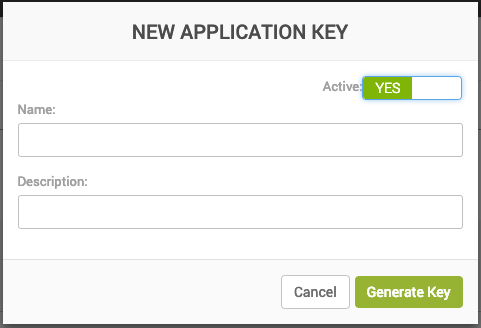
- Click + Add Application button in the top-right corner.
- Enter a name and description for your new API Key.
- Click Generate Key to create the Consumer Key and Secret.
- Store your credentials securely.
For a full integration guide, see the MX™ Merchant Developer API here.
Deleting an Application Key
To delete a new application key:
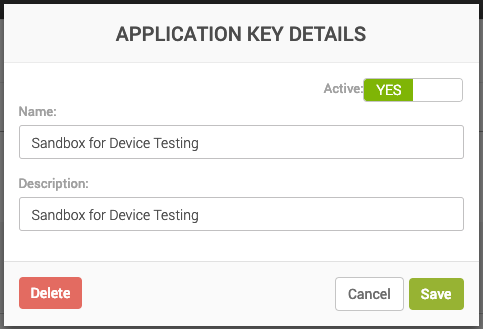
- Select the API credential you want to remove.
- Follow the prompts to permanently delete the Consumer Key and Secret.
- Confirm the deletion.
Note:
This action is permanent and irreversible, so make sure it is absolutely necessary.
Updated 20 days ago