
Sign In
Overview
Prerequisites
- You must have already created an MX Merchant™ account. If you don’t have one yet, see the Additional Resources section below.
Introduction
In this guide, you'll learn how to sign in to your MX Merchant™ account. You will be provided with plenty of flexibility on how you make it happen!
Key Details
Signing in
Signing In With Username and Password
- Go to the MX Merchant™ sign-in page.
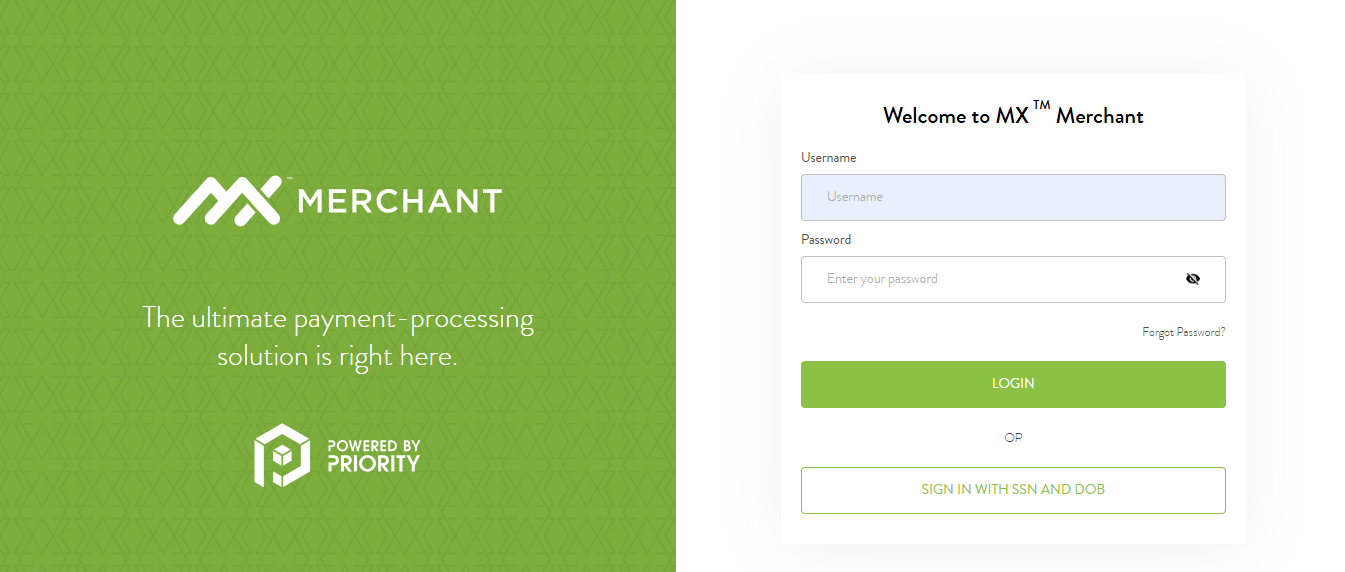
- On the right column, enter your Username and Password.
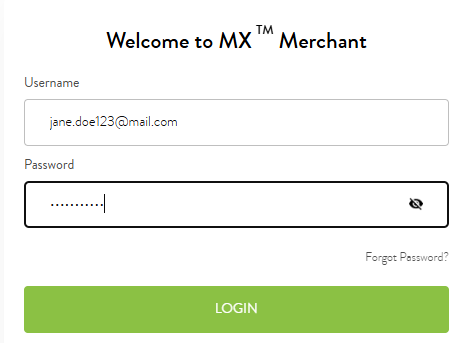
- Click Login
- If two-factor authentication is enabled, a 6-digit verification code will be sent either to your phone (as a text message) or to your email address. Enter that code in the blank spaces.
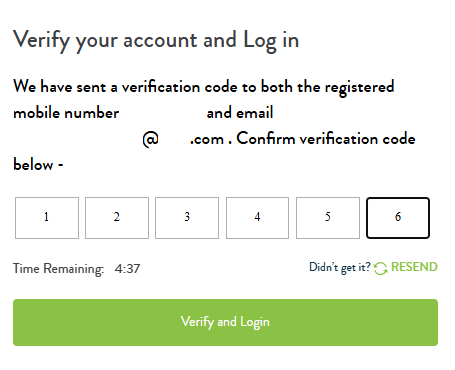
- Click Verify and Login.
Please note:
- If, at any time, you forget your password, click Forgot Password? to start the password reset process.
- If you'd like the app to preemptively enter your Username and Password next time you sign in, check the box Remember me on this computer. Otherwise, you'll need to reenter your information manually.
- Every time you sign in, you will receive a different verification code. Make sure that you enter the most recent one to avoid reusing old codes, which are no longer valid.
Signing In With SSN and DOB
- Go to the MX Merchant™ sign-in page.
- Press Sign In with SSN and DOB.
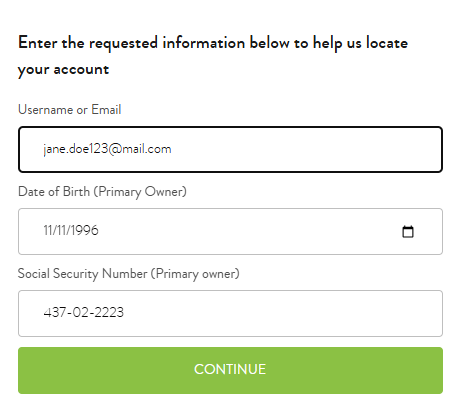
- Enter your Username or Email.
- Enter the Date of Birth and Social Security Number associated with the account.
- Click Continue.
- If two-factor authentication is enabled, a 6-digit verification code will be sent either to your phone (as a text message) or to your email address. Enter that code in the blank spaces.
- Click Verify and Login.
Please note:
- Every time you sign in, you will receive a different verification code. Make sure that you enter the most recent one to avoid reusing old codes, which are no longer valid.
Additional Resources
- If you still don't have an MX Merchant™ account, you should get in contact with the Priority Commerce onboarding by calling (844) 647-3616 or emailing [email protected].
Updated 20 days ago