
Set Up Terminals
Set new terminals for your business
Learn how to set up new integrated or semi-integrated payment terminals in MX Merchant, including requirements, key differences, and setup steps.
Overview
Terminals have become an integral part of any modern business, making it easy to collect payments without the need for cash. Whenever you buy a new one, you'll need to set it up on MX Merchant.
Prerequisites
- You must have an Admin or Sub-Admin role.
Adding New Terminals
This process will vary depending on whether you have acquired an integrated terminal or a semi-integrated terminal.
-
Integrated Terminals: In an integrated configuration, the payment terminal is tightly coupled with the POS application through a direct software interface (typically via an SDK or API). The POS system is responsible for initiating, managing, and finalizing payment transactions.
-
Semi-Integrated Terminals: In a semi-integrated configuration, the terminal and POS are logically connected, but payment data is isolated from the POS environment. The POS initiates a payment request, but all sensitive cardholder data is handled exclusively by the terminal and its processor.
Here's a brief summary of the functionalities you may want to consider for your terminals in the future:
| Attribute | Integrated Terminal | Semi-Integrated Terminal |
|---|---|---|
| POS–Terminal Communication | Full bidirectional | Limited, non-sensitive return only |
| Card Data Flow | Through POS and terminal | Direct from terminal to processor |
| PCI DSS Scope | Full POS environment | Reduced (terminal only) |
| Transaction Control | Managed entirely by POS | Shared between POS and terminal |
| Integration Complexity | Higher | Moderate |
| Security Exposure | Greater | Reduced |
New Integrated Terminals
- Go to Settings (on the left).
- Go to Terminals. This will take you to your Terminal management panel (learn more here).
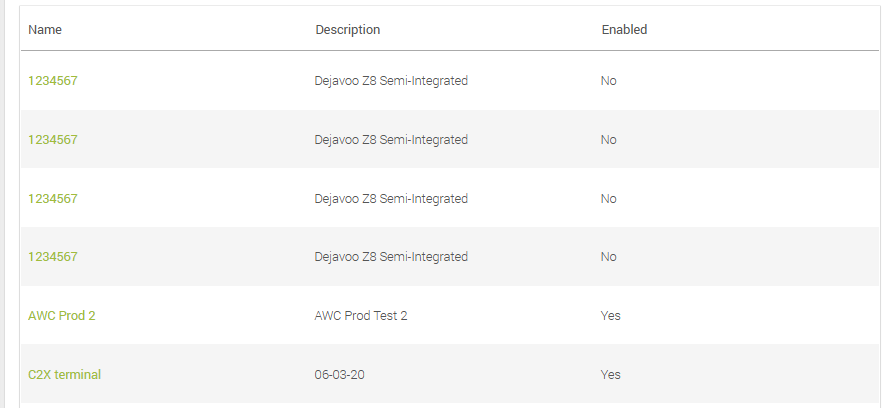
- Press + Add Terminal on the top right-hand corner. You'll see the following form.
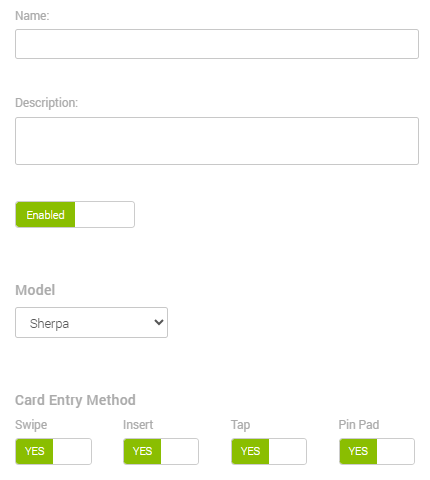
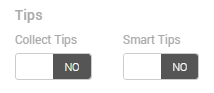
- Fill in the form with the new terminal's information.
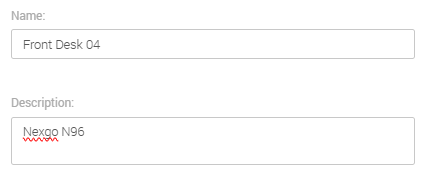
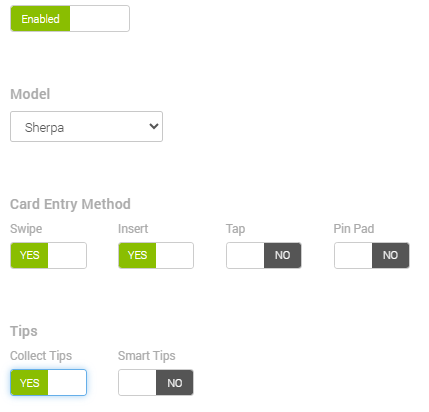
You can learn more specific details in the Terminal guide.
- Save.
New Semi-Integrated Terminals
The process for incorporating a new semi-integrated terminal is far more complex, and you cannot do it on your own. To do so, get in contact with Priority Commerce by calling (844) 647-3616 or emailing [email protected].
Updated 20 days ago