
Signing In
Signup Information
Overview
This guide provides a shortened walkthrough of how to sign in to your MX Merchant™ account. You’ll learn the two available sign-in methods and what to expect during the process.
Prerequisites
- You must already have an MX Merchant™ account.
Signing In
Signing In With Username and Password
- Go to the MX Merchant™ sign-in page.
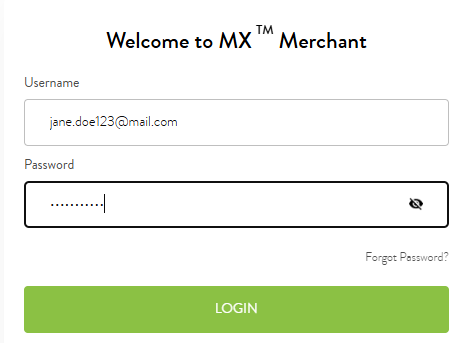
- Enter your Username and Password in the right column.
- Login.
- If two-factor authentication (2FA) is enabled, enter the 6-digit verification code sent to your email or phone.
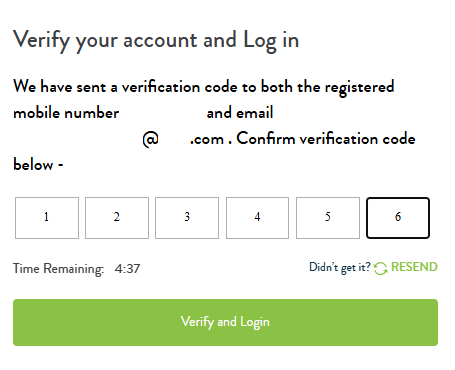
- Verify and Login.
Notes:
- Click Forgot Password? if you need to reset your password.
- Check Remember me on this computer to save your login info.
- A new verification code is generated each time—always use the most recent one.
Signing In With SSN and DOB
- Go to the MX Merchant™ sign-in page.
- Sign In with SSN and DOB.
- Enter your Username or Email.
- Enter the Date of Birth and Social Security Number associated with your account.

- Continue.
- If 2FA is enabled, enter the 6-digit verification code.
- Verify and Login.
Note:
- Verification codes expire quickly—be sure to use the newest one.
Additional Resources
- If you don’t yet have an MX Merchant™ account, contact Priority Commerce Onboarding at (844) 647-3616 or [email protected].
Updated 20 days ago